


I still remember my first panic looking for a Supercharger on a holiday trip. I had 15% battery, the screen showed a station 30 km away… and I had no idea if any stalls would be available when I arrived. The range anxiety, the fear of ending up in an endless queue: all Tesla owners know this feeling.
Today, after thousands of kilometers driven, I’ve developed habits that allow me to plan my charging stops without any anxiety. In this article, I’ll share all my techniques for mastering Tesla navigation tools and third-party apps that will help you find an available Supercharger with complete peace of mind.
My promise? You’ll never again find yourself at a fully occupied Supercharger without knowing what to do.
Tesla navigation: your best integrated ally
Automatically plan your charging stops
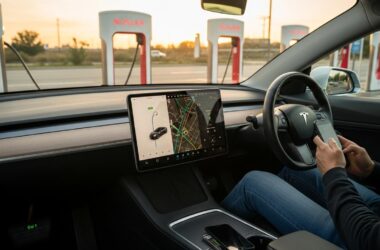
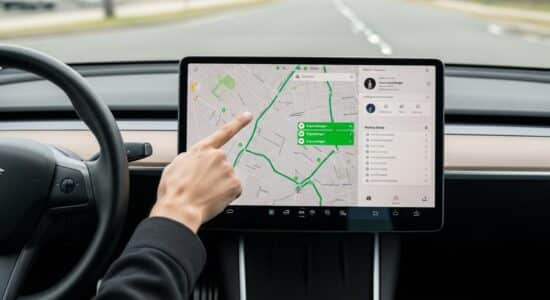
The Tesla navigation system is truly impressive when you know how to use it correctly. Simply enter your destination on the touchscreen, and the car automatically calculates the necessary Supercharger stops based on your current battery level and energy consumption.
Besoin d'accessoires pour ta Tesla ?
Looking for accessories for your Tesla?
What’s great is that the system displays the number of available stalls in real-time. You’ll see color icons appear on the map: gray for available, red for high occupancy, and crossed-out red for full or out of service. This information is constantly updated.
The screen also shows you the estimated battery percentage upon arrival, the estimated charging time at each stop, and even the recommended percentage before departing. It’s truly automatic planning that takes into account elevation changes, weather, and your driving style.
My personal tip: I always check the information about 30 km before arriving at the planned Supercharger, to ensure the situation hasn’t changed.
Understanding the displayed information
When you tap a Supercharger icon on the screen, a wealth of information appears. You’ll see the available power (150 kW, 250 kW), the total number of stalls, and most importantly, the number of free stalls in real-time.
The color code for Supercharger availability is essential to master: the redder it is, the more saturated it is. Sometimes, Tesla will suggest a Supercharger slightly further away if the closest one is too busy.
A crucial point I’ve learned from experience: the car starts preheating the battery about 30-40 minutes before your arrival at the Supercharger. This preheating optimizes charging speed, which is why it’s better to follow the GPS recommendations rather than changing stations at the last minute.
Third-party apps to look further
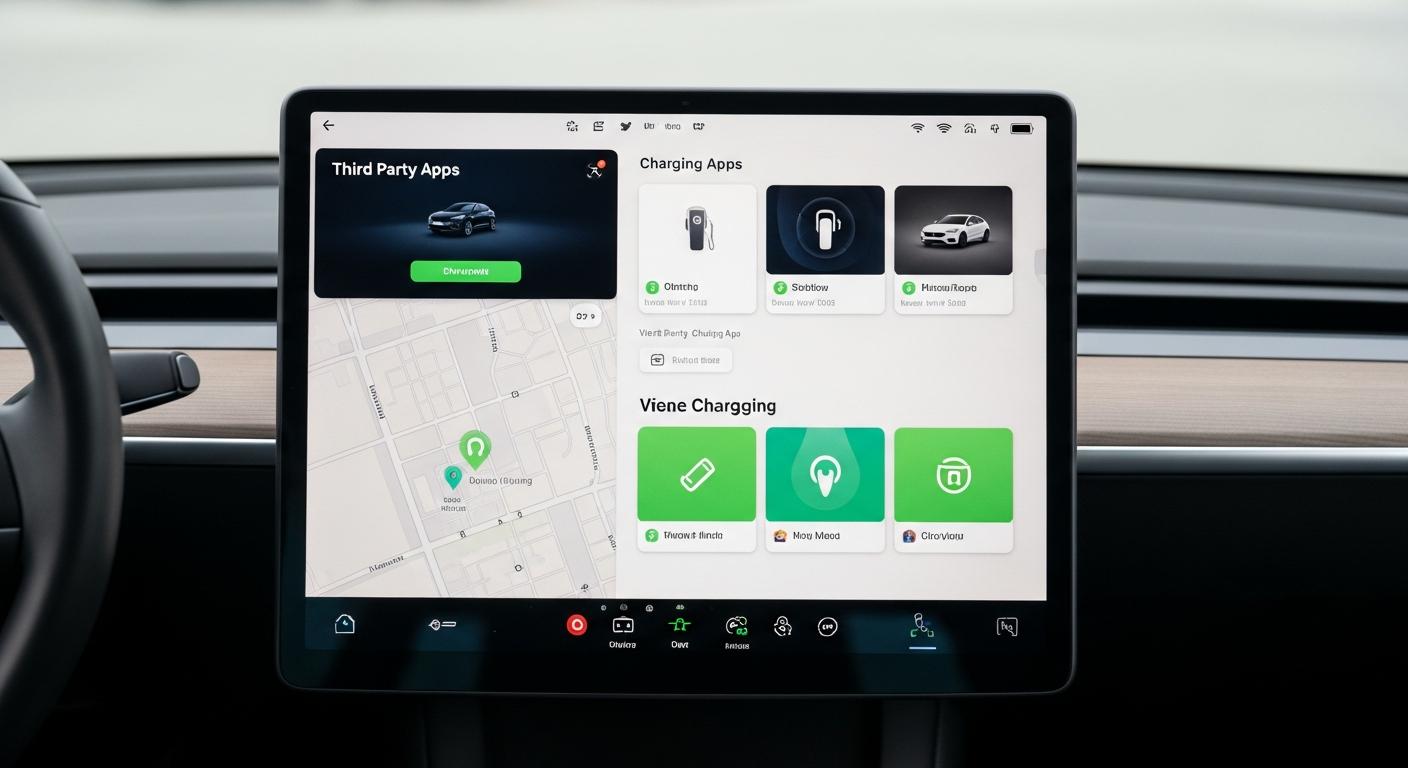
Even if the Tesla system is excellent, I also use apps like A Better Route Planner (ABRP) to prepare for my long trips. ABRP allows you to compare different routes, see recent user comments on the status of the stalls, and optimize your charging time.
I also consult Supercharger.info, which offers community info with real-time availability and alerts on outages reported by other drivers. It’s extremely practical for avoiding unpleasant surprises.
PlugShare is another app I like, even though it covers all types of charging stations (not just Tesla). It’s useful for finding backup solutions if all Superchargers in an area are ever full.
The huge advantage of these apps: community alerts. Users report in real-time queues, defective stalls, or temporarily closed stations. I remember a road trip where ABRP literally saved me by reporting that a planned Supercharger was out of service due to a local power outage.
Strategies to avoid queues
Choosing the right times
After hundreds of charging sessions, I’ve identified the peak times to absolutely avoid: major departure weekends, school holidays, and especially the 6 PM-8 PM slot when everyone stops.
My preferred slots? Early morning (before 9 AM), mid-morning on weekdays (10 AM-11:30 AM), or late afternoon around 3 PM-4 PM. At these times, I almost always find free stalls.
In summer, crowds are general all day on holiday routes. In winter, it’s quieter… but charging is slower due to the cold. Adapt your strategy according to the season.
Besoin d'accessoires pour ta Tesla ?
Looking for accessories for your Tesla?
Adapting your route smartly
My personal rule: I willingly accept a maximum 10-minute detour if it allows me to avoid a potential 30-minute wait. A slight detour to a less frequented Supercharger often saves time in the end.
I always prioritize stations with many stalls (20 stalls or more). Even if there are people, the turnover is fast, and you rarely wait long.
My favorite tip: Superchargers located in commercial areas or shopping centers on weekdays. While people are at work, these stations are often almost deserted. You can take advantage of this to have a real coffee break or even do some shopping.
My expert tips for optimizing charging
Here are my tips from field experience. First rule: never drop below 10% battery before arriving at the Supercharger. Not only is it stressful, but it also limits your options if you ever need to change stations.
Charging is much faster between 10 and 60% battery. No need to wait for 100% unless you truly need maximum range. For most trips, charging up to 60-70% is more than enough and saves you valuable time.
I systematically use “Trip” mode on the Energy screen to monitor my real consumption in real-time. This allows me to adjust my driving if I see that I’m consuming more than expected.
Always plan a 5 to 10% safety margin on the displayed range. Headwind, rain, air conditioning… all of that increases energy consumption. Having a plan B by always spotting the next Supercharger is the key to serene planning.
Important: make sure your Tesla software is up to date to benefit from the latest data on Superchargers. Tesla regularly adds new stations.
If you want to perfectly master all these aspects, I recommend consulting the basics for correctly using Superchargers, which perfectly complements this guide.
My golden tip after thousands of kilometers: charge “little but often” rather than for a long time. Several short stops of 15-20 minutes are much more efficient than a single 45-minute stop. I applied this strategy during my 619 km road trip between Biel and Davos, and it completely changed my travel experience.
What to do if a Supercharger is full?
Don’t panic if you arrive at a full Supercharger. The first thing to know: your Tesla automatically recalculates the route and offers you alternatives. The automatic recalculation takes a few seconds and shows you the closest alternative Supercharger.
Open the Tesla app on your smartphone to quickly view nearby alternatives. The app displays the same map as the car’s screen with real-time availabilities.
As a backup solution, you can also look for Destination Charger stalls (the slower chargers found in hotels and restaurants). They charge slower but can help you out during a meal.
If you encounter a recurrent problem at a particular station, don’t hesitate to contact Tesla support. They are responsive and can give you info on planned works or alternatives.
I remember a Sunday returning from holiday where I found 8 cars waiting at the planned Supercharger. I simply shared the info with other Tesliens I met on site, and we all used our apps to distribute ourselves among nearby stations. That’s also what solidarity among Tesla drivers is all about!
Over time, finding an available Supercharger truly becomes second nature. The Tesla navigation + third-party apps combo is unbeatable once you get the hang of it.
After thousands of kilometers driven, I can tell you that the first few times are always a bit stressful. It’s normal to triple-check the info, mentally calculate your range, and stress a bit. But quickly, it becomes second nature.
Today, I plan my charging sessions with as much ease as I used to plan my gas fill-ups. And I must admit that charging breaks are ultimately an opportunity to take real breaks, have a quiet lunch, and stretch your legs. To find all the charging points on your route, combine the tools I’ve presented.
Don’t hesitate to share your own tips in the comments: every driver develops their own little personal techniques, and it’s always enriching to share our experiences to drive with complete peace of mind!
Profitez d'avantages exclusifs en achetant votre Tesla
Vous envisagez d'acquérir une Tesla ? En utilisant mon code de parrainage lors de votre achat, vous pouvez bénéficier d'avantages exceptionnels !
Des kilomètres gratuits de recharge ou d'autres récompenses exclusives, mon code de parrainage est votre passeport pour des avantages supplémentaires : https://ts.la/antoine49352 🤩
Pas de pression, juste une opportunité à saisir pour enrichir votre expérience Tesla.
Découvrez ici le système du parrainage et comment utiliser le code.
Get exclusive perks when buying your Tesla
Thinking about getting a Tesla? If you use my referral code when you purchase, you may be eligible for extra perks.
Free Supercharging miles or other exclusive rewards - my referral code can unlock additional benefits: https://ts.la/antoine49352 🤩
No pressure - just a simple option if you want to enhance your Tesla experience.
Learn how the Tesla referral program works and how to use the code.