





Do you want to order your Tesla and enjoy exclusive benefits? This page explains how the Tesla referral code works, the rewards based on your model, and how to use or find your referral code. We have updated the Tesla referral program for 2026, discover it below.
Find your answer in 1 click
The Tesla referral code, how does it work?
Before ordering your Tesla, you absolutely must use a referral link. It’s simple, free, and it gives you tangible benefits right from your order.
The principle is simple:
- A Tesla owner shares their link with you
- you use their link (or code) before placing an order
- You are both rewarded. It’s a win-win.
If you know a Tesla owner in your circle, ask them for their link. If you don’t know anyone, I invite you to use mine. As an owner of a Model 3 and a Model Y Juniper, I would be happy to share this gift with you: https://ts.la/antoine49352 🤩
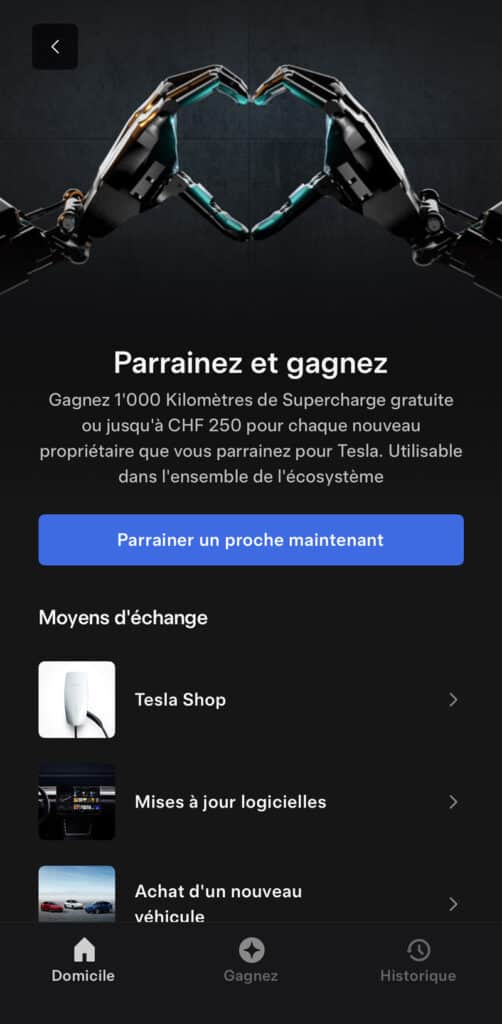
Benefits of Tesla referral
Rewards vary depending on the model you order. Note that since the launch of the referral program in 2019, there have been quite a few changes to the rewards. Sometimes the referral is temporarily unavailable when a new model is released. In short, we keep you updated here!
For the buyer = the referred person
For the purchase of a Model 3 or Model Y, you receive 1,000 km of free Supercharging.
For a Model S or Model X, you get €500 (or 500 CHF) in Tesla credits.
For the referrer
That’s up to €250 (or 250 CHF) in credits that you can use within the Tesla ecosystem: Supercharging, accessories, software upgrades, etc.
These benefits are valid only for new vehicles ordered directly on the official Tesla website.
How to use a Tesla referral code
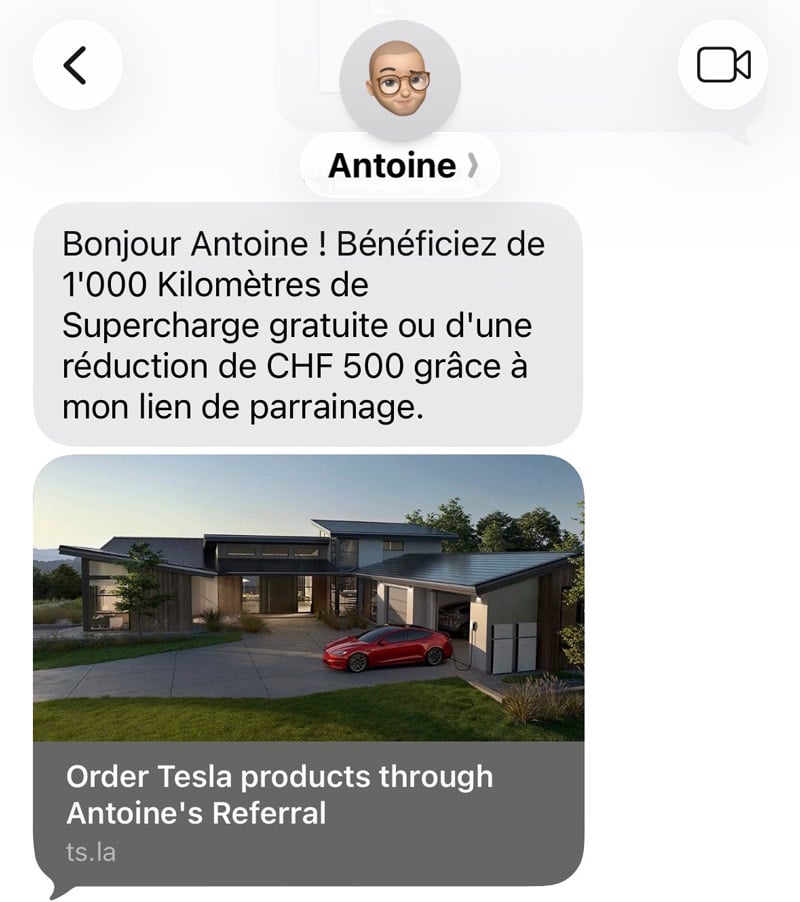
Step 1 – Click the referral link before ordering
This is the crucial step, you absolutely must use the referral link BEFORE configuring your vehicle on tesla.com. Once the order is placed, it’s impossible to add a code retroactively.
You have two choices:
- You use the referral link that a friend shared with you
- If you don’t have a link, you can use my referral code: https://ts.la/antoine49352 (and I thank you a thousand times in advance for supporting the Tesliens blog)
Step 2 – Configure your Tesla
Once on the Tesla website via the referral link, configure your vehicle as you wish: model, color, wheels, interior, options. The referral benefits are automatically linked to your order.
Step 3 – Finalize your order
In the summary, you will see the referral benefits applied. All that’s left is to confirm and await your delivery.
Where to find your Tesla referral code?
If you are already a Tesla owner and are looking for your own referral link to share, here’s how to find it.
On the Tesla website
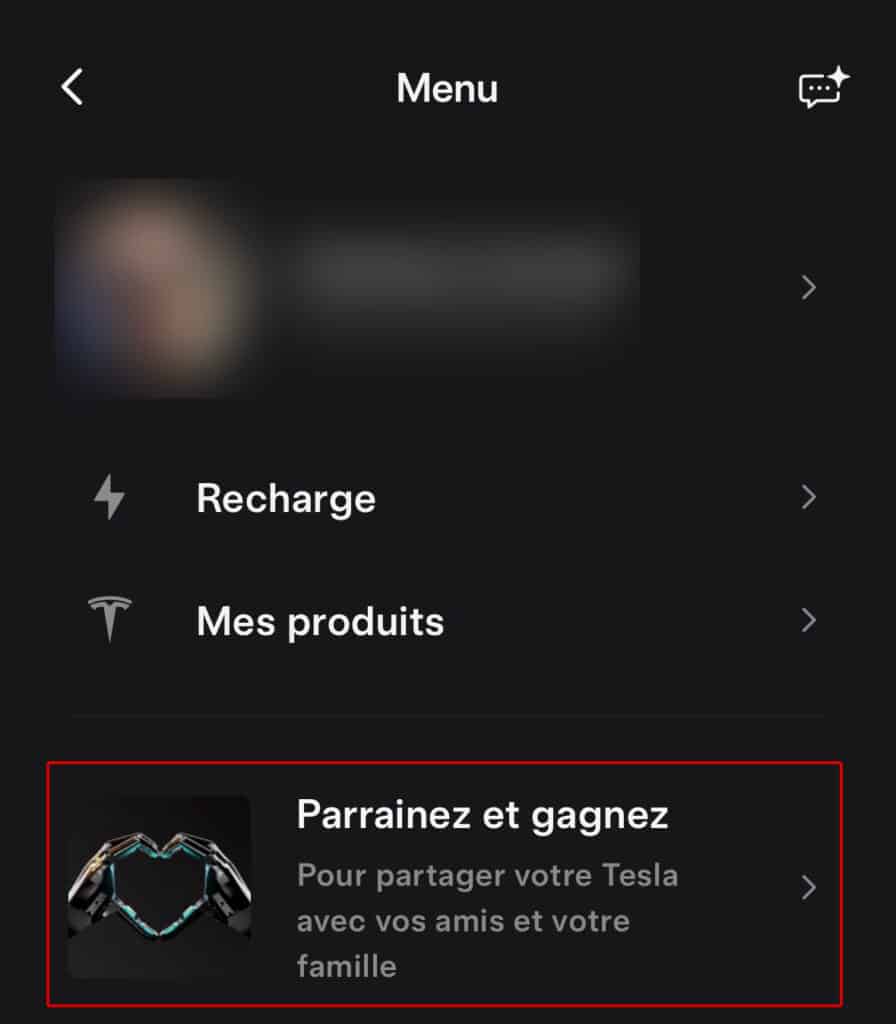
Log in to your Tesla account at https://www.tesla.com/fr_fr/teslaaccount. On your account homepage, you will find the “Refer and Earn” section with your personal link.
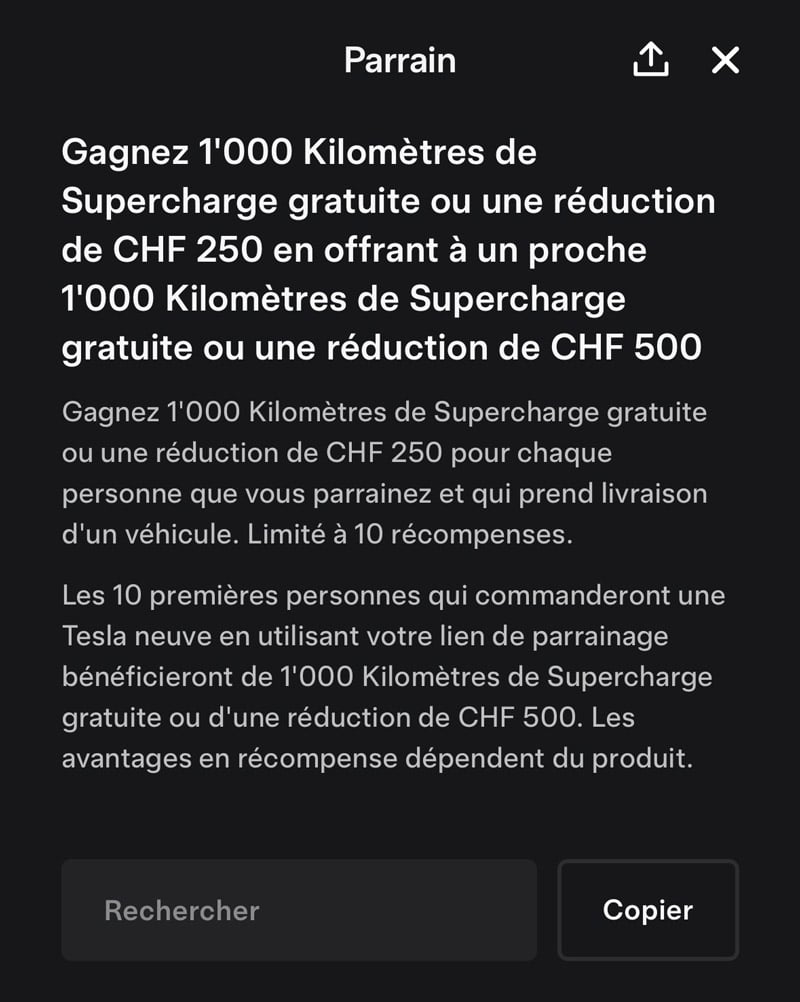
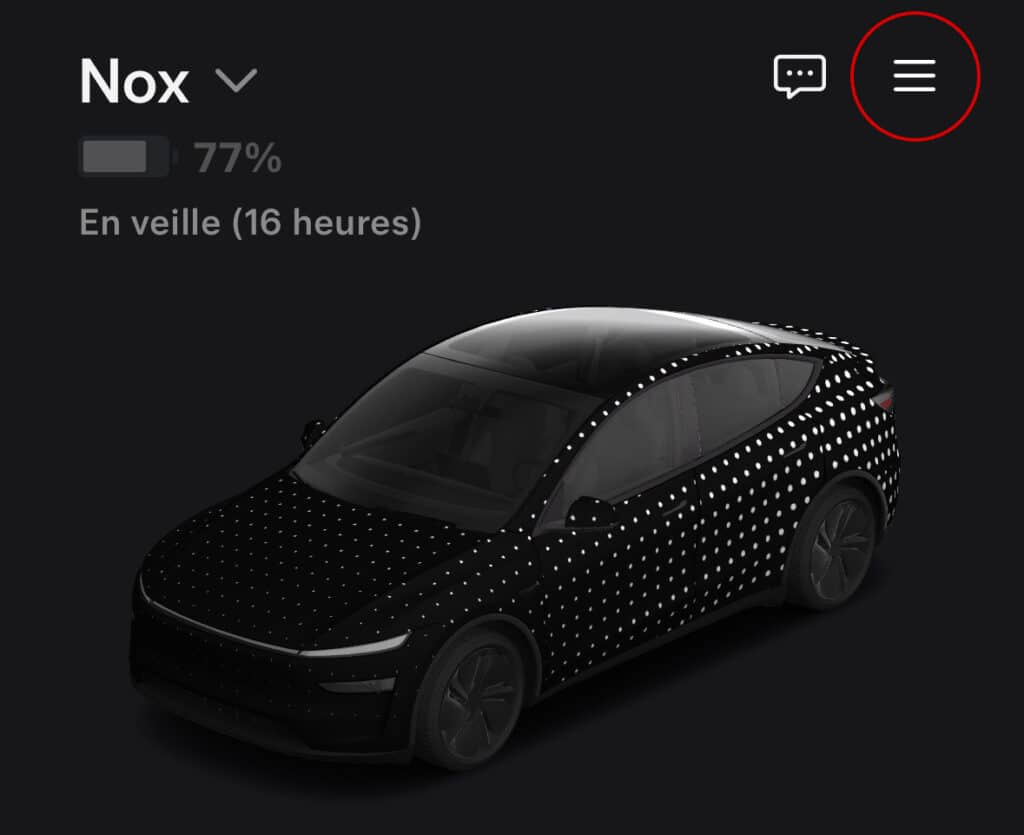
On the Tesla mobile app
Open the Tesla app on your phone. In the top right corner of the screen, click on the treasure chest icon. You will directly access your referral link and the list of your ongoing referrals.
Referral for Model 3
The Model 3 remains the ideal entry point into the Tesla universe. Whether you choose the Rear-Wheel Drive, Long Range, or Performance version, the referral gives you 1,000 km of free Supercharging.
This is the model I drive daily and have for several years. If you’re still hesitant or have questions about the Model 3, don’t hesitate to contact me.
Referral for Model Y
The Model Y is Tesla’s compact SUV, perfect for families or those who need more space. Since the Juniper version released in 2025, the design has been refreshed and performance improved.
I also own a Model Y Juniper, so if you want real-world experience feedback, I am available.
As with the Model 3, you get 1,000 km of free Supercharging by using a referral link.
Referral for Model S and Model X
For the premium models in the lineup, the Model S (sedan) and Model X (SUV), the referral benefit is different: you receive up to €500 (or 500 CHF) in Tesla credits rather than Supercharging kilometers.
This credit can be used for Supercharger charging, Tesla official accessories, or software updates like Enhanced Autopilot.
When will you receive your referral benefits?
A little patience, because the free credits or kilometers are only awarded once your referee’s vehicle is delivered. As long as the delivery hasn’t taken place, the referral appears as “pending” in your account.
In the “My Referrals” section of the app, you can track the status of each referral with the referee’s name and order date. Allow generally a few weeks between order and delivery.
FAQ on Tesla referral
I have listed as many questions as possible received from internet users and friends over the years. But if you don’t find what you’re looking for here, you can always contact me directly and I’ll be happy to guide you 😉
Does the referral code work for a used Tesla?
No. The Tesla referral program only works for new vehicles ordered directly on tesla.com. Used Teslas, whether purchased from Tesla or elsewhere, are not eligible.
Can I add a referral code after placing an order?
No, unfortunately, it’s impossible. The referral link must be used before placing your order. Tesla does not allow adding a code retroactively, even by contacting customer service.
Does Tesla offer discounts outside of the referral program?
Tesla does not negotiate its prices. Unlike traditional dealerships, there is no room for negotiation. Referral is the only official way to get a financial benefit on a new vehicle.
How does the referrer receive their credits?
Referrers receive Tesla credits, not cash. These credits are usable throughout the Tesla ecosystem: Supercharger charging, official store accessories, or software updates like Enhanced Autopilot or Full Self-Driving.
How many referrals can I make per year?
Tesla limits referrals to 10 per calendar year per account. Beyond that, you no longer receive referral credits, but your referee still benefits from their advantages.
But beware, this information is subject to change at Tesla’s discretion…
Does the referral program work in Switzerland, Belgium, and other countries?
Yes, the Tesla referral program is international. Benefits may vary slightly by country (euros, Swiss francs, etc.), but the principle remains the same. Check the conditions on your country’s Tesla website.
Where can I see my free Supercharging kilometers?
In the Tesla app, go to the “Refer and Earn” section. You will find the details of your available credits and their expiration date there. Benefits generally expire 12 months after they are awarded.
My referral is pending for a long time, is that normal?
Yes. The “pending” status means your referee has ordered but has not yet received delivery. Tesla delivery times vary from a few weeks to several months depending on models and configurations. Your credits will be awarded as soon as the vehicle is delivered.
My Tesla referral code
If you’ve made it this far and don’t have anyone to refer you, I invite you to use my link. As an owner of a Model 3 and a Model Y Juniper, I know the Tesla universe well and I remain available if you have questions before or after your order.
My referral link: https://ts.la/antoine49352
Don’t hesitate to contact me privately if you need advice.
And welcome to the Tesla community! 🚗