


Why optimize your Tesla’s Settings?
Welcome to this second chapter, where we’ll discuss the importance of optimizing your Tesla’s Settings. If you own this magnificent electric car, it’s essential to take the time to adjust a few parameters to get the most out of it. By optimizing the settings, you’ll enjoy an even more pleasant driving experience and fully leverage your Tesla’s performance.
But why is it so important?
Well, simply because each setting impacts different aspects of your driving. Performance settings allow you to fully harness your Tesla’s power, while suspension parameters influence road holding and comfort. By optimizing energy efficiency, you can also increase your car’s driving range.
So, how do you proceed?
Besoin d'accessoires pour ta Tesla ?
Looking for accessories for your Tesla?
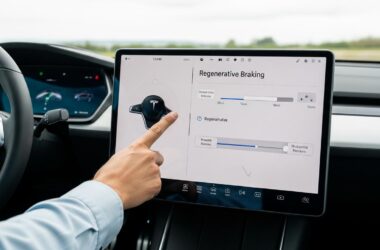
First, let’s look at the different parameters to adjust for maximum performance. These include regenerative braking, accelerator response, and maximum charging speed. By adapting these settings to your preferences, you can customize the driving experience according to your style and needs.
Next, we’ll cover driving modes, which allow you to choose between a sportier or more energy-efficient drive. You’ll discover how to switch from “Standard” mode to “Sport” mode for increased performance, or to “Chill” mode for a smoother drive.
Speaking of smoothness, did you know you can also optimize your Tesla’s suspension? We’ll give you tips for adjusting the suspension settings based on the quality of the roads you drive on most often. This way, you’ll enjoy a more comfortable ride and optimal road holding.
Finally, we’ll show you how to improve your Tesla’s energy efficiency by adjusting a few simple settings. You’ll discover how to limit energy consumption by customizing climate control parameters, avoiding sudden accelerations, and optimizing the use of energy regeneration.
So, are you ready to optimize your Tesla’s Settings? In the next chapters, we’ll guide you step-by-step to customize your car according to your preferences and enjoy an optimal driving experience. Stay tuned!
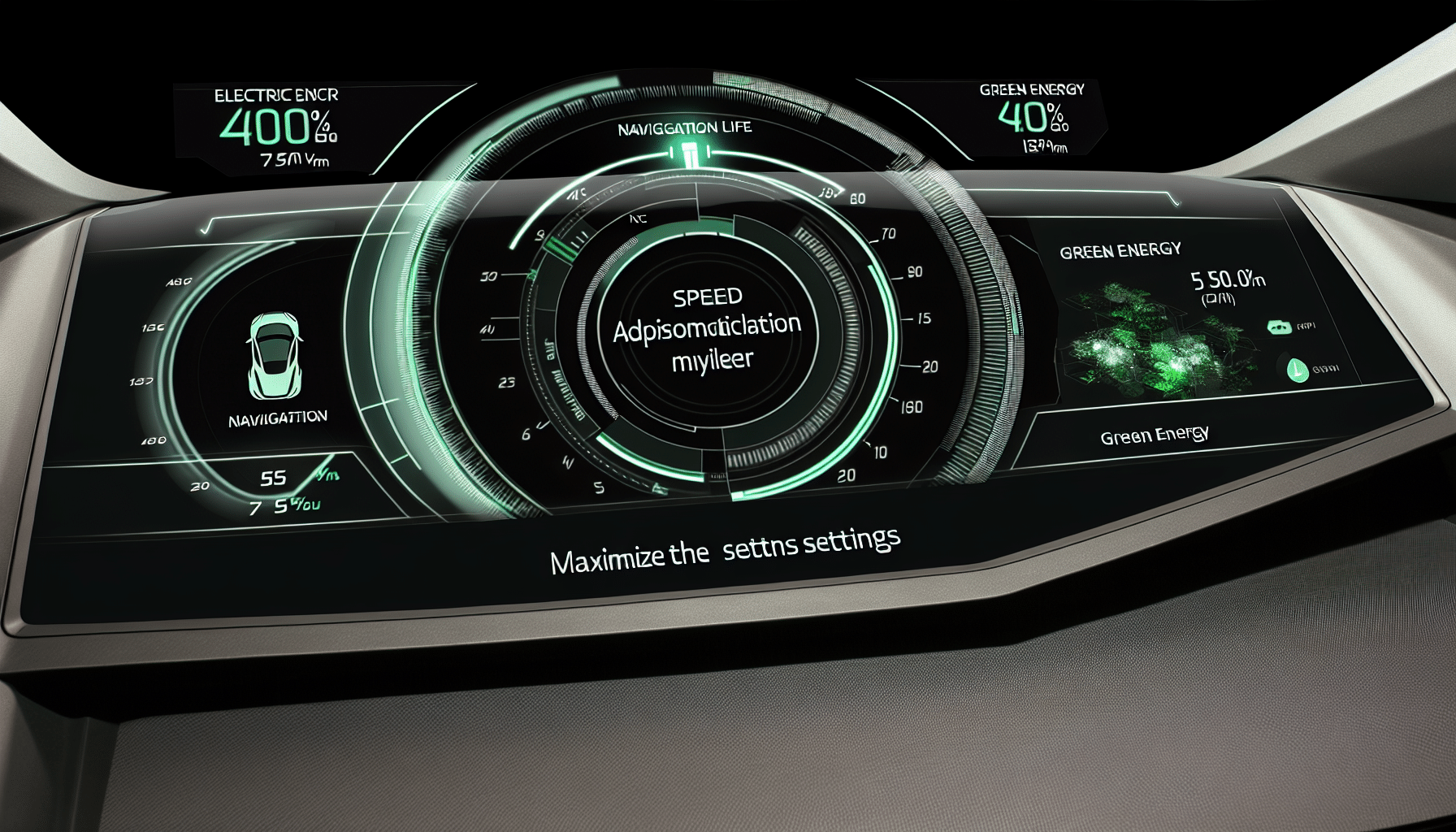
The different parameters to adjust for maximum performance
Welcome to this third chapter dedicated to optimizing your Tesla’s Settings for maximum performance! If you want to fully enjoy your electric vehicle, it’s essential to consider certain important parameters.
1. Energy Regeneration: Did you know you can adjust the level of energy regeneration when you brake or lift off the accelerator? By increasing this level, you can recover more energy and thus increase your Tesla’s driving range.
2. Accelerator Response: For a more dynamic drive, you can choose a faster accelerator response mode. This will give you more instantaneous acceleration and allow you to feel your Tesla’s full power.
3. Driving Mode: Depending on your preferences and driving conditions, you can adjust your Tesla’s driving mode. Whether you prefer Sport mode for increased performance or Chill mode for a smoother drive, you have the option to customize your driving experience.
4. Battery Management: To optimize your Tesla’s driving range, you can set the battery charge limit. By setting it to 80%, for example, you’ll preserve your battery’s lifespan while still having enough driving range for your daily commutes.
5. Steering Assist: If you desire a more assisted drive, you can adjust the degree of steering assist in your Tesla. This will allow you to enjoy a more comfortable and safe drive, by adapting the steering sensitivity to your preferences.
By adjusting these different parameters, you can customize your Tesla according to your driving preferences and maximize its performance. Don’t hesitate to experiment and find the settings that suit you best.
Keep following our blog to discover more tips and tricks to optimize your driving experience with your Tesla. See you soon!
Besoin d'accessoires pour ta Tesla ?
Looking for accessories for your Tesla?
Adjusting driving modes for increased performance
Hey Tesla drivers! You already own a Tesla, which means you’re at the forefront of automotive technology. But did you know you can optimize your Tesla’s Settings for even better performance? That’s exactly what we’ll be discussing in this chapter!
One of the most exciting aspects of owning a Tesla is the ability to choose between different driving modes. These modes can influence your vehicle’s performance and allow you to customize your driving experience.
The first mode we’ll examine is “Ludicrous” mode. This mode is designed to offer extreme acceleration, allowing your Tesla to go from 0 to 100 km/h in a flash. If you’re the type who loves thrills, this mode is for you! Simply activate “Ludicrous” mode in your Tesla’s settings and get ready to feel an adrenaline rush every time you press the accelerator.
If you’re more of an energy-saver, you can opt for “Chill” mode. This mode reduces accelerator responsiveness, which helps lower energy consumption and optimize your Tesla’s driving range. It’s ideal for long-distance trips where you want to save energy.
Finally, if you’re looking for a balance between performance and energy efficiency, you can choose “Standard” mode. This mode offers a pleasant and balanced drive, perfect for daily use.
Don’t forget that you can always change driving modes based on your needs. If you want to switch to “Ludicrous” mode for blistering acceleration, just press a few buttons. If you prefer to save energy, “Chill” mode is at your fingertips. It’s up to you to choose how you want to drive your Tesla!
So, what are you waiting for? Try different driving modes and see which one suits you best. Always remember to drive responsibly and respect speed limits. Enjoy your Tesla and have fun on the road safely!
Optimize suspension for better road holding
Welcome to this fifth chapter dedicated to optimizing your Tesla’s Settings! Today, we’re going to talk about the importance of adjusting your car’s suspension for better road holding. So buckle up and get ready to discover all the tips for an optimal driving experience.
Your Tesla’s suspension is essential for a comfortable and safe drive. It keeps the wheels in contact with the road, providing maximum grip in all situations. To optimize this grip, it’s important to correctly adjust the suspension parameters. Here are some tips to achieve this:
- Use adaptive mode: Your Tesla is equipped with an adaptive mode that automatically adjusts the suspension based on driving conditions. It’s recommended to activate this mode to benefit from optimal real-time road holding.
- Adjust suspension height: Depending on driving conditions, you can modify the suspension height for better stability. For example, if you’re driving on a bumpy road, you can increase the height to avoid obstacles.
- Experiment with driving modes: Each driving mode in your Tesla has a different suspension setting. Don’t hesitate to test the different modes to find the one that suits you best in terms of comfort and road holding.
- Pay attention to load: If you’re carrying heavy loads in your Tesla, remember to adjust the suspension accordingly. A suspension that’s too soft can make driving unstable, while one that’s too stiff can affect passenger comfort.
By following these tips, you can significantly improve your Tesla’s road holding. Don’t forget to experiment with the different settings to find the one that suits you best. And above all, don’t hesitate to ask a professional for advice if you have any doubts about the adjustments to make.
There you go, you’re now ready to adjust your Tesla’s suspension for an optimal driving experience. In the next chapter, we’ll talk about your car’s energy efficiency, so stay tuned!
How to improve your Tesla’s energy efficiency
While Teslas are already very energy-efficient, there are a few simple tips to further improve their efficiency. Not only will this save you money, but it will also reduce your carbon footprint. Here are some tips to optimize your Tesla’s energy efficiency:
- Use “Chill” driving mode: This mode reduces accelerator responsiveness, which helps consume less energy in urban driving. It can also contribute to extending battery life.
- Reduce air conditioning consumption: Try to use air conditioning sparingly, setting the temperature to a comfortable but not too cold level. Also use the “ventilated seats” function to cool down rather than increasing the air conditioning.
- Plan your trips with the Tesla app: Use the app to plan routes that allow you to avoid traffic jams and winding roads. By avoiding difficult traffic conditions, you can save energy.
- Optimize energy regeneration: Set the energy regeneration level to “high” to recover more energy during decelerations and braking. This will result in increased driving range and more efficient battery use.
- Keep your tires properly inflated: Regularly check your tire pressure to ensure they are correctly inflated. Under-inflated tires can increase rolling resistance and thus energy consumption.
- Reduce highway speed: Driving at high speeds leads to increased energy consumption. By slightly reducing your speed, you can increase your driving range and save energy.
With these simple tips, you can optimize your Tesla’s energy efficiency and enjoy a more economical and environmentally friendly drive. Remember that every small action counts to preserve our planet. Happy driving!
Customize Settings for an optimal driving experience
Welcome to the seventh chapter of our series on optimizing your Tesla’s Settings! Now that we’ve explored different aspects to improve your electric car’s performance and efficiency, it’s time to talk about customizing the settings for an optimal driving experience.
Every driver has their own preferences and needs, and that’s where this feature comes in. Tesla allows you to customize many parameters so your car perfectly matches your expectations.
Driving Mode
One of the first settings you can adjust is the driving mode. Whether you prefer a calmer, more economical ride or you’re looking for thrills and faster acceleration, you can choose between “Normal,” “Sport,” and “Insane” modes. Of course, keep in mind that sportier modes can reduce your Tesla’s driving range.
Suspension Adjustment
If you’re a fan of sharp turns and like to feel the road, you can adjust the suspension for better road holding. With stiffer settings, you’ll enjoy a sportier drive, while softer settings will provide maximum comfort on bumpy roads.
Screen Customization
You can also customize your screen display to match your preferences. Whether you want to show driving information, energy consumption, or real-time media, you can organize the different widgets and place them wherever you like.
Steering Wheel and Seat Settings
Don’t forget to adjust the steering wheel and seats for an optimal driving position. A good driving position can reduce fatigue and improve your concentration on the road. Take the time to find the configuration that suits you best.
By customizing all these settings, you can create a driving experience that truly matches you. Whether you’re a sports car enthusiast or simply looking to maximize comfort and efficiency, your Tesla is ready to be adapted to your needs.
There you have it, we’ve finished this series on optimizing your Tesla’s Settings. I hope these tips are useful to you and that you’ll fully enjoy your electric driving experience. Don’t hesitate to share your favorite tips and settings with us!
Profitez d'avantages exclusifs en achetant votre Tesla
Vous envisagez d'acquérir une Tesla ? En utilisant mon code de parrainage lors de votre achat, vous pouvez bénéficier d'avantages exceptionnels !
Des kilomètres gratuits de recharge ou d'autres récompenses exclusives, mon code de parrainage est votre passeport pour des avantages supplémentaires : https://ts.la/antoine49352 🤩
Pas de pression, juste une opportunité à saisir pour enrichir votre expérience Tesla.
Découvrez ici le système du parrainage et comment utiliser le code.
Get exclusive perks when buying your Tesla
Thinking about getting a Tesla? If you use my referral code when you purchase, you may be eligible for extra perks.
Free Supercharging miles or other exclusive rewards - my referral code can unlock additional benefits: https://ts.la/antoine49352 🤩
No pressure - just a simple option if you want to enhance your Tesla experience.
Learn how the Tesla referral program works and how to use the code.