


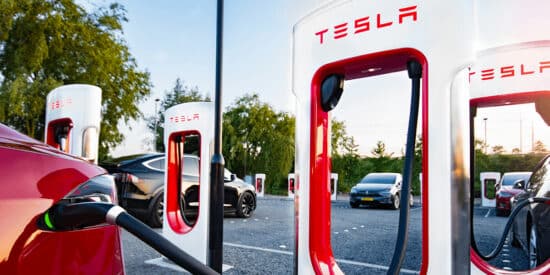
Do you plug your Tesla into a Supercharger and the charging speed disappoints you? Battery preconditioning is the solution. This little-known feature allows you to heat your battery before arriving at the charging station, ensuring fast charging from the very first seconds.
Table des matières
- How to activate battery preconditioning?
- How does battery preconditioning work?
- Activate automatic preconditioning via GPS navigation
- Manually precondition the battery from the mobile app
- Preconditioning specificities by Model
- How long does preconditioning last?
- Need more info on Superchargers?
- Charge for free at the Supercharger?
If you are the proud owner of a Tesla Model 3, Model Y, Model S, or Model X, this guide will transform your charging experience. Discover how to use preconditioning to save valuable time on the road.
Indeed, did you know that your Tesla is capable of preheating (preconditioning) the battery during the last few kilometers before arriving at the Supercharger?
Very practical, this preconditioning brings the battery up to temperature. This allows you to achieve optimal charging speed when arriving at the Supercharger, commonly called SuC.
Certainly, preconditioning slightly increases your energy consumption. But the gain in charging speed will be such that you won’t want to do without it.
Besoin d'accessoires pour ta Tesla ?
Looking for accessories for your Tesla?
How to activate battery preconditioning?
Several options are available to you depending on your situation:
- You are embarking on a very long journey that will require one or more stops at Superchargers.
- You are taking a shorter trip that does not require charging to reach your destination. However, you don’t have a charging point at your destination and want to anticipate your return.
How does battery preconditioning work?
Preconditioning, also called battery preheating, is an automatic or manual process that brings your battery to its optimal temperature before a charging session.
Specifically, your Tesla vehicle uses energy to heat the battery cells until they reach an ideal temperature range, generally between 25°C and 40°C.
Why is this so important? Firstly, because a cold battery simply cannot accept fast charging. Chemical reactions within lithium-ion cells slow down considerably when the temperature drops. Without preconditioning, you could find yourself at a Supercharger with a charging speed two to three times lower than what your Tesla can normally achieve. That would be a shame, wouldn’t it?
Activate automatic preconditioning via GPS navigation
The simplest method to precondition your Tesla’s battery is to use the integrated navigation system. Don’t worry, your vehicle is smart enough to manage everything automatically.
Case #1: The long journey with multiple Supercharger stops
For a trip requiring one or more charges, simply enter your final destination into the GPS. Your Tesla then calculates the optimal route, automatically plans stops at various chargers along your route, and activates preconditioning at the appropriate time.
Let your Tesla do its job, it’s very clever! Indeed, the system constantly analyzes your real consumption, influenced by your speed, weather conditions, and terrain. If your battery is cold, typically during the first stop of the day, preconditioning begins several tens of kilometers before arriving at the Supercharger.
Conversely, if your battery is already at temperature after an hour of highway driving, preheating will only start a few kilometers before the station, or not at all.
This automation is remarkably efficient! You don’t have to do anything: just focus on the road and let your Tesla optimize every stop 👌
A quick note, the lower the battery level, the higher the charging speed. Beyond 80 to 85% charge, the charging speed significantly reduces. So avoid wasting your time if you have enough battery to reach the next Supercharger.
Case #2: Short trip to a destination without a charging point
Our advice: it’s best to play it safe by arriving charged! It’s also a time-saver if you’re making short trips around your destination. You won’t have to look for a charging point.
If you are in this scenario, enter the destination address into the navigation system and zoom out a bit. Select the nearest Supercharger as an intermediate destination. Your Tesla will guide you there while automatically activating preconditioning.
This approach allows you to arrive at the Supercharger with a battery ready to accept maximum charge. You charge quickly, then resume your route to your final destination. This is a considerable time-saver compared to arriving with a cold battery.
Besoin d'accessoires pour ta Tesla ?
Looking for accessories for your Tesla?
Manually precondition the battery from the mobile app
Automatic preconditioning via GPS is convenient on the road, but how do you activate it when you’re at home or the office? Thanks to the Tesla mobile app, of course! It offers full control to prepare your vehicle before you leave, without needing physical access to the vehicle.
Activate immediate preheating
So, open the Tesla app on your smartphone and go to the “Climate” section. There you will find the controls to activate climate control, which also aims to precondition your battery.
By pressing the climate control button, your Tesla immediately starts heating the battery and the cabine intérieure simultaneously.
This is a particularly useful function on very cold days. I use it almost daily in winter! After a night where temperatures dropped below (or close to) zero, your battery might be too cold to deliver its full power.
Simply start preconditioning 20 to 30 minutes before your departure, and you’ll find a car ready, warm, and fully prepared.
Schedule planned departure time
For daily use, scheduling is even more convenient. On your Tesla screen or via the mobile app, go to Controls, then to the Schedule section.
Select the location for which you want to create a schedule, typically your home or workplace.
You can then set the planned departure time. The vehicle will automatically calculate the preconditioning start time based on the conditions. The colder it is, the earlier preheating will begin.
The system executes the schedule once configured, but you can also define the charging frequency. Select the relevant days of the week, and your Tesla will be ready every morning without any intervention from your side.
Create a recurring schedule
For regular trips, tap Charge to configure the desired charge completion time. You can set an end time but not necessarily a fixed departure time; the system adapts.
An important note: to create an effective schedule, your vehicle must be parked in approximately the same location each time. This is logical since the system learns your habits for that specific location.
If you leave earlier than planned, the vehicle then deactivates the schedule until your next programmed departure. Everything is designed to adapt to your daily life.
Preconditioning specificity for Model 3, Model Y, and Plaid
In preconditioning mode, the front motor operates with limited power, thus reducing your car’s power. Nothing problematic here, but it’s important to know if you need to perform an overtaking maneuver, for example.
Older versions of the Model S or X have dedicated resistors for battery heating. They therefore do not experience this phenomenon.
Preconditioning specificities by Model
Did you know that not all Tesla Models handle preconditioning in the same way?
Model 3 and Model Y
These two models use the front motor to generate the heat required for battery preheating. Specifically, the motor operates with limited power, which temporarily reduces your vehicle’s performance.
Be careful during overtaking maneuvers on roads or highways during an active preconditioning phase. You will not have access to your Tesla’s usual full power. It’s not dangerous, you don’t lose half the power either, but it’s important to know to adapt your driving.
The duration of preheating varies from a few minutes to over 30 minutes depending on the outside temperature. On a cold winter day, expect a longer preconditioning time.
Model S and Model X (older generations)
Older generations of Model S and Model X have dedicated electrical resistors for battery heating. This architecture offers an advantage: no impact on driving performance during preconditioning.
However, the time required to heat the battery can be slightly longer, and energy consumption can be higher. It’s a different compromise, neither better nor worse, simply adapted to these vehicles.
Model S and Tesla Model X Plaid
Plaid versions benefit from a hybrid system combining motor and resistors. This approach offers the best of both worlds: fast preconditioning with minimal impact on performance.
Plaid Model owners are therefore “lucky” to be the best optimized to achieve record charging times at the Supercharger.
How long does preconditioning last?
It’s not an easy calculation to make, but here’s some information that will help clarify things! The duration of preconditioning varies according to several criteria, but especially according to the outside temperature.
Under normal conditions, with an outside temperature around 10-15°C, preheating only takes a few minutes. Your battery isn’t truly cold, just a little below optimal.
In cold weather, between 0°C and 10°C, allow 15 to 25 minutes for preconditioning. This is typically what you’ll encounter on an autumn or spring morning.
In winter conditions, with negative temperatures, the duration can reach 30 to 45 minutes. This is the time of year when preconditioning is most crucial, but also the longest. During these cold months, remember to schedule your departure in advance.
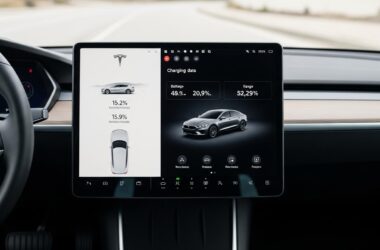
You can monitor the preconditioning progress on your Tesla’s screen. The battery temperature indicator shows you when the cells reach their optimal range. Once preconditioning is complete, you are ready for fast charging.
Need more info on Superchargers?
Haven’t stopped at a Tesla Supercharger yet? No worries! We offer you a complete guide on how to use a Supercharger:
- Network quality
- How to pay?
- How to charge, with or without a Tesla?
Charge for free at the Supercharger?
Thanks to the Tesla referral system, you can choose free charging kilometers at all Tesla Superchargers as rewards!
Depending on the number of points you have collected and your Supercharger charging needs, you can choose between 2 “packs”: 500 or 5,000 km!
But Tesla referral offers much more than free kilometers. Discover our article on the best rewards of the referral program.
Profitez d'avantages exclusifs en achetant votre Tesla
Vous envisagez d'acquérir une Tesla ? En utilisant mon code de parrainage lors de votre achat, vous pouvez bénéficier d'avantages exceptionnels !
Des kilomètres gratuits de recharge ou d'autres récompenses exclusives, mon code de parrainage est votre passeport pour des avantages supplémentaires : https://ts.la/antoine49352 🤩
Pas de pression, juste une opportunité à saisir pour enrichir votre expérience Tesla.
Découvrez ici le système du parrainage et comment utiliser le code.
Get exclusive perks when buying your Tesla
Thinking about getting a Tesla? If you use my referral code when you purchase, you may be eligible for extra perks.
Free Supercharging miles or other exclusive rewards - my referral code can unlock additional benefits: https://ts.la/antoine49352 🤩
No pressure - just a simple option if you want to enhance your Tesla experience.
Learn how the Tesla referral program works and how to use the code.